
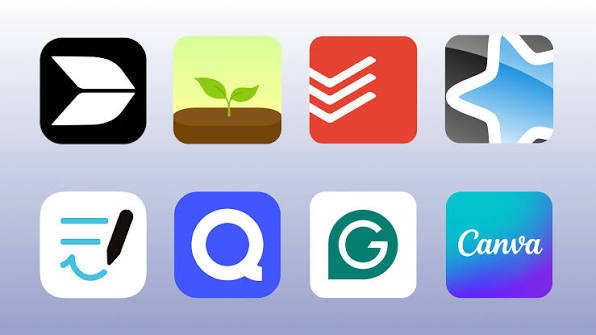
Modern life can feel overwhelming. Between work responsibilities, personal tasks, meetings, deadlines, messages, and everyday commitments, it is easy to lose track of what actually needs to be done. Many people spend hours trying to stay organized but still end their day feeling like they have not accomplished enough.
This is where Productivity Apps can make a real difference.
Productivity apps are digital tools designed to help people manage their time, organize tasks, take notes, communicate, plan projects, and stay focused. Instead of keeping everything in your head or using multiple notebooks and scattered reminders, you can use the right app to bring important information into one organized system.
However, productivity is not simply about doing more work. It is about using your time and energy wisely so you can accomplish meaningful goals without unnecessary stress.
What Are Productivity Apps?
Productivity apps are software applications that help users manage different aspects of their work and personal lives. Some are designed for simple to-do lists, while others offer advanced features for project management, time tracking, collaboration, scheduling, or note-taking.
For example, a student might use a productivity app to organize assignments and exam dates. A freelancer may use one to manage clients and deadlines, while a business team could use productivity software to coordinate projects and communicate with coworkers.
The biggest advantage is flexibility. You can choose an app based on your specific needs rather than trying to change your routine completely.
Some apps are simple and easy to use, while others provide detailed dashboards, automation, integrations, and reporting tools.
Why Are Productivity Apps Important?
One of the main reasons people use productivity apps is to reduce mental clutter. When you have several tasks to remember, your brain constantly has to keep track of them. Writing those tasks down in an organized system can make it easier to concentrate on the work in front of you.
Productivity apps can also help you prioritize. Instead of looking at a long list of responsibilities and wondering where to start, you can identify the most important tasks and handle them first.
Another major benefit is time management. Many apps allow users to create schedules, set reminders, track working hours, or divide larger projects into smaller steps.
They can also be particularly useful for remote workers and teams. Shared calendars, task boards, documents, and communication features allow people to work together even when they are in different locations.
Common Types of Productivity Apps
Not every productivity app serves the same purpose. Understanding the main categories can help you find the right tool.
1. Task Management Apps
Task management apps are useful for creating to-do lists and keeping track of responsibilities. You can usually add tasks, set deadlines, create categories, and mark items as completed.
These apps are ideal for people who often forget small tasks or struggle to decide what they should work on next.
2. Note-Taking Apps
Note-taking applications allow you to store ideas, meeting notes, research, lists, and other information digitally. Instead of searching through different notebooks or documents, you can keep your information organized in one place.
Many modern note-taking tools also support images, files, links, checklists, and searchable text.
3. Calendar and Scheduling Apps
Calendars are essential for managing appointments, meetings, deadlines, and personal commitments. A good calendar app gives you a clear overview of your day or week.
Setting reminders can also prevent missed meetings and important deadlines.
4. Project Management Apps
Project management apps are especially useful for teams. They allow users to divide large projects into smaller tasks, assign responsibilities, set deadlines, and monitor progress.
These tools can make complicated projects easier to understand because everyone can see what needs to be done and who is responsible for each part.
5. Time-Tracking Apps
Time-tracking applications help users understand where their working hours are going. This can be valuable for freelancers, employees, and business owners who want to identify activities that consume too much time.
Once you understand your habits, you can make better decisions about how to use your working hours.
Benefits of Using Productivity Apps
The right productivity app can provide several practical benefits.
Better organization: You can keep tasks, notes, schedules, and important information in a structured system.
Improved focus: Knowing exactly what you need to do can make it easier to concentrate on one task at a time.
Fewer missed deadlines: Reminders and notifications can help you remember important dates and responsibilities.
Better time management: Scheduling and time-tracking features can help you understand and improve your daily routine.
Easier collaboration: Teams can share tasks, files, calendars, and project updates without relying entirely on lengthy email conversations.
Greater convenience: Digital tools are usually available across multiple devices, allowing you to access your information from different locations.
How to Choose the Right Productivity App
With hundreds of productivity tools available, choosing one can sometimes become a productivity problem itself. Instead of downloading every popular application, think about what you actually need.
Start by identifying your biggest challenge. Do you forget tasks? Have trouble managing deadlines? Need better notes? Are you working with a team? Or do you simply need help staying focused?
Once you know the problem, look for an app that solves it without adding unnecessary complexity.
Ease of use is another important factor. An application may have dozens of advanced features, but if it takes too long to understand or maintain, you may stop using it.
You should also consider compatibility. If you regularly switch between a phone and computer, choose a tool that works well across your devices.
Pricing matters too. Many productivity apps offer free versions, but advanced features may require a subscription. Before paying, make sure the additional features are genuinely useful for your workflow.
Finally, consider privacy and security, particularly if you plan to store sensitive work or personal information.
How to Use Productivity Apps Effectively
Simply installing a productivity app will not automatically make you more productive. The way you use it matters much more.
First, keep your system simple. Avoid creating dozens of categories, labels, and complicated workflows unless you truly need them.
Second, review your tasks regularly. A five-minute review at the beginning or end of the day can help you stay on top of your responsibilities.
Third, prioritize important work. A list containing twenty tasks can feel overwhelming. Identify the few tasks that will have the biggest impact and focus on those first.
It is also useful to avoid excessive notifications. Constant alerts can interrupt concentration instead of improving productivity. Turn off notifications that are not genuinely important.
Another useful habit is to combine productivity apps with realistic planning. Do not schedule every minute of your day. Leave some space for unexpected tasks, breaks, and rest.
Are Productivity Apps Suitable for Everyone?
Productivity apps can be useful for almost anyone, but not everyone needs the same type of tool.
A student may only need a calendar and task manager. A writer might benefit more from a distraction-free writing environment and note-taking system. A large company may require project management software with collaboration and reporting features.
Some people are also more productive with a simple paper notebook. There is nothing wrong with that. The purpose of technology is to make your workflow easier, not to make it more complicated.
The best productivity system is the one you can consistently maintain.
Common Mistakes People Make
One common mistake is downloading too many apps. Using five different tools for tasks, notes, calendars, habits, and projects can create more confusion than organization.
Another mistake is spending too much time customizing the system. Changing colors, creating complicated labels, and constantly reorganizing dashboards can become a form of procrastination.
People also sometimes create unrealistic task lists. If your daily list contains more work than you could possibly finish, checking everything off becomes nearly impossible.
Finally, remember that productivity apps are tools, not solutions by themselves. They can help you organize your responsibilities, but you still need good habits, clear priorities, and enough rest.
Frequently Asked Questions
1. What are productivity apps used for?
Productivity apps are used to organize tasks, manage schedules, take notes, track time, plan projects, communicate with teams, and improve focus. The exact purpose depends on the type of app and the user’s needs.
2. Are productivity apps really effective?
Yes, productivity apps can be effective when they are used consistently and for a clear purpose. They can help users organize information, remember deadlines, prioritize tasks, and manage their time more effectively.
3. Are productivity apps free?
Many productivity apps offer free plans with basic features. Some charge a monthly or yearly subscription for advanced tools, additional storage, collaboration features, or business functionality.
4. Which productivity app is best for students?
The best option depends on the student’s needs. A student who mainly needs reminders may prefer a simple task manager or calendar, while someone managing multiple courses may benefit from a more comprehensive organization tool.
5. Can productivity apps help with time management?
Yes. Calendar tools, scheduling features, reminders, and time-tracking functions can help users understand how they spend their time and create more realistic daily schedules.
6. How many productivity apps should I use?
There is no fixed number, but fewer is often better. Using one or two well-chosen apps can be easier to maintain than constantly switching between many different platforms.
7. Can productivity apps reduce stress?
They can help reduce stress by giving you a clear place to record tasks, deadlines, and important information. However, an app cannot eliminate stress on its own. Good planning, realistic workloads, breaks, and healthy routines are also important.
8. What makes a good productivity app?
A good productivity app should be easy to use, reliable, suitable for your needs, and available on the devices you use. Useful reminders, organization features, synchronization, and reasonable pricing can also make an app more valuable.
Final Thoughts
Productivity Apps can be powerful tools for managing modern work and personal responsibilities. From simple to-do lists and calendars to advanced project management platforms, there is a solution for almost every type of user.
The key is not to find the app with the most features. Instead, choose a tool that solves a real problem, fits naturally into your routine, and is simple enough to use consistently.
When used correctly, productivity apps can reduce mental clutter, improve organization, support better time management, and make it easier to focus on meaningful goals.
Ultimately, technology should work for you—not the other way around. Choose your tools carefully, keep your system simple, and focus on building productive habits that make your everyday life easier.